

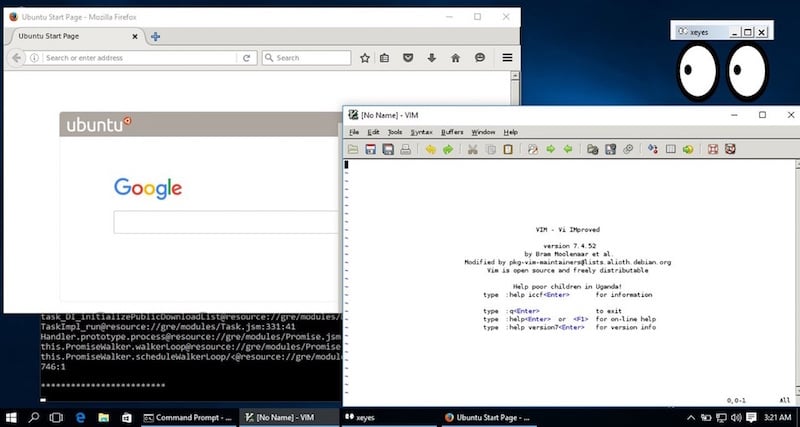
Late last month, to everyone’s surprise, Microsoft aounced that it is adding support for Bash, the command-line utility for any Linux-based operating system. This enabled users to run their favorite Linux apps on top of Windows 10… in command line mode. If you were hoping to run GUI (more popularly known as mode) apps of Linux on Windows 10, your dream has come true.
Folks over at WindowsClan are reporting about a tool that facilitates this feature. Originally shared by a developer who goes by the alias “w2qw” on Reddit, the trick requires you to first download an app called X Server on your Windows 10 build 14316. Once done, run the following command:
After setting up bash in Windows 10, you need to download and install Xming X Server. Once that’s done, run a command in the following style in bash: “DISPLAY=:0 firefox” (without the quotes. Firefox, in this instance, is just an example.)
Do note that the app wouldn’t run as smoothly as you would want it to be. “Obviously it’s going to be slower than a native Windows/Linux application but probably better than VNC/X11 forwarding,” the developer notes. Try out this technique on your computer and let us know how it works for you.