

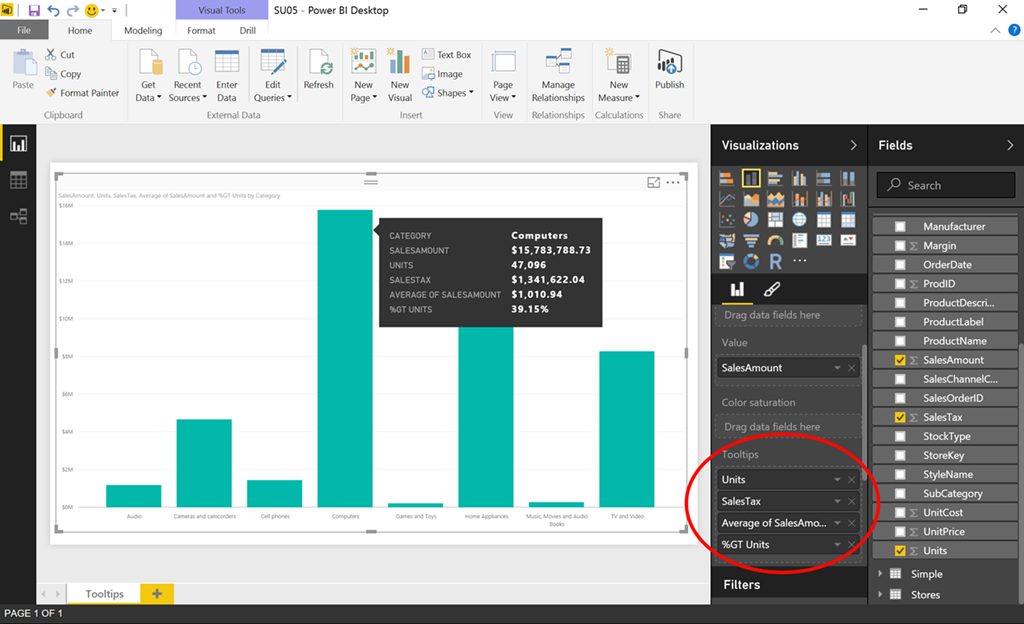
Microsoft is adding no.of new features requested by customers in the May update of Power BI Desktop. It includes customizable tooltips, Conditional formatting in tables, new data coectors and more. Find the full list of new features below.
REPORT VIEW
- Customizable tooltips
- Conditional formatting in tables
- Publish to Pyramid server
- Scrolling loads more data in charts
- Keyboard nudging for visuals
ANALYTICS
- Quick Calcs – % of grand total
DATA CONNECTIVITY
- New data coectors:
- Informix
- comScore Digital Analytix
- Troux
- Planview Enterprise
- Improved DB2 coector
- Text/CSV coector exposes editable settings in preview dialog
- Improved relational database coectors with Display Schema information
- Data Source Settings enhancements
- Advanced “Filter Rows” dialog mode
- Inline Input controls for Function invocation within the Query Editor
- Query Parameters:
- Ability to convert queries to parameters (and vice versa)
- Support for URL parameterization and multi-part URLs in Web coector
- Support for parameterization in Conditional Columns dialog
- Ability to “Save As” a Power BI Template
- Support for reordering Query Steps by using drag & drop
- Date picker support in Conditional Columns dialog input Date fields
- New context menu entry to create new queries from the Queries pane
Read about this features in detail here. Download the latest version here from Microsoft.