

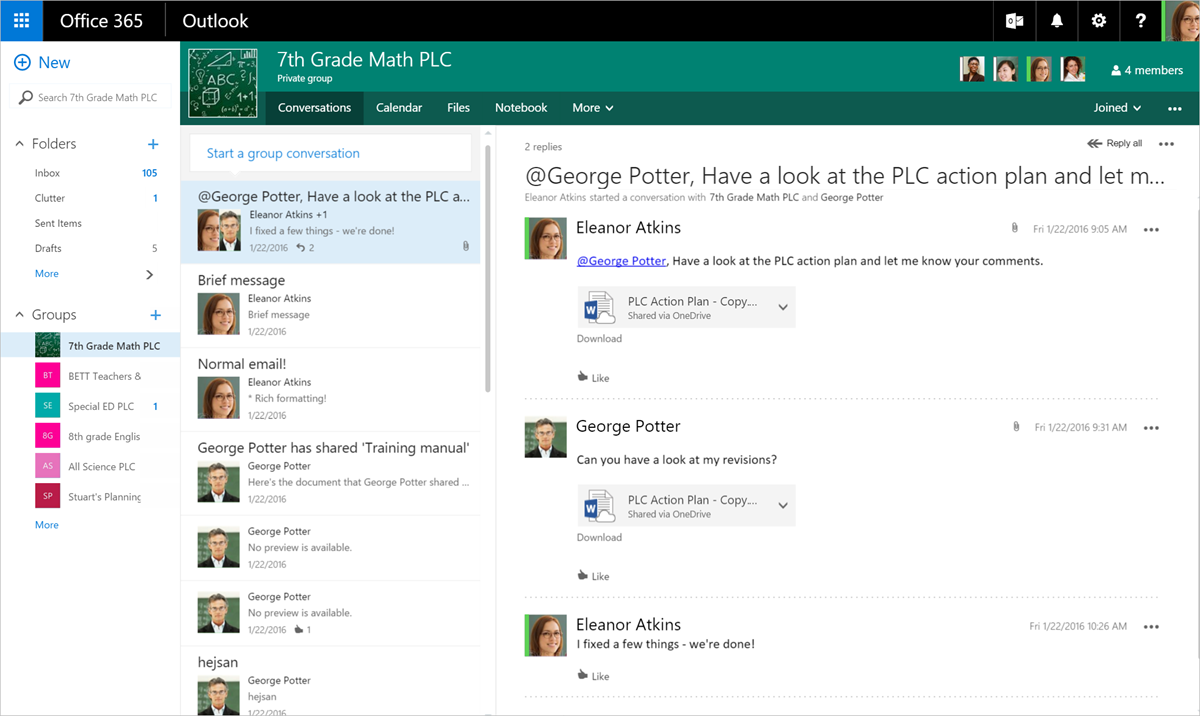
To foster collaboration of professional leaing communities (PLCs), Microsoft is aouncing the PLC Groups Preview. Office 365 Education users who are faculty can now create PLC groups, similar to any other Office 365 group, and access shared conversation spaces, file space, OneNote notebooks and calendars. PLC groups also integrate directly with Microsoft Plaer.
Each group comes with a:
- Inbox for group email communication, including Coector for coecting your group to Twitter and following topics or Twitter handles that interest your PLC group.
- Calendar for scheduling group events.
- Document library for storing and working on group files and folders.
- OneNote notebook for taking project and meeting notes.
- Plaer for organizing and assigning tasks and getting updates on project progress.
PLC groups are also available on all your mobile devices—both Outlook Groups and OneNote have mobile apps. Office 365 Education customers can sign up here and request to be added to the PLC Groups Preview.