

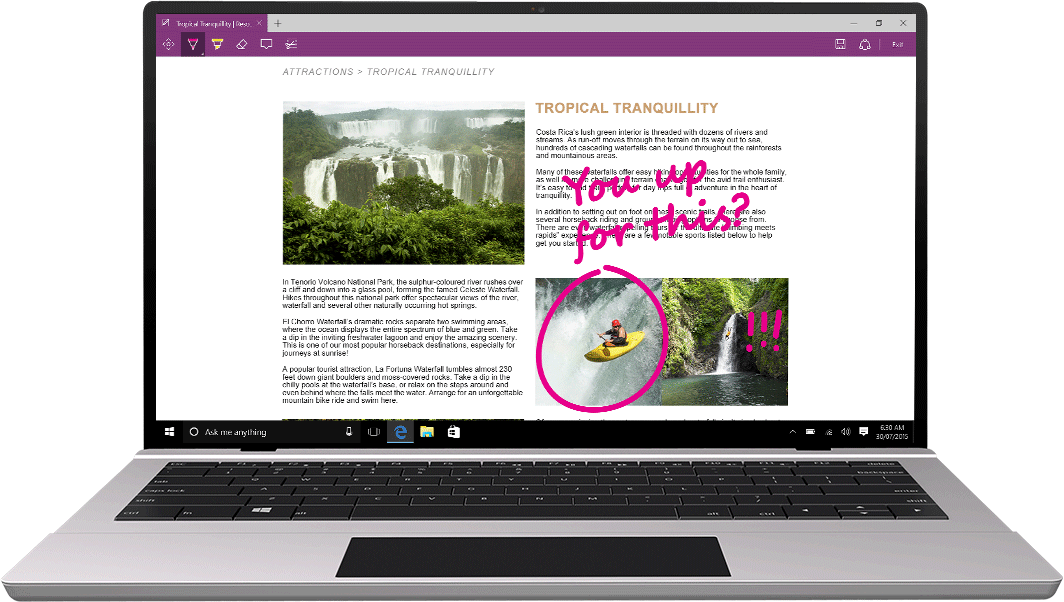
Microsoft today highlighted the new features of Microsoft Edge browser in Windows 10 Aiversary Update which was released earlier this week. Find the summary below,
- Microsoft Edge now supports Extensions. Popular Extensions like AdBlock and Adblock Plus, Amazon, Eveote, LastPass, Microsoft Translate, Office Online, Pinterest, Pocket and more are now available in Windows Store. You can find extensions in the Windows Store here or by selecting “Extensions” from the Microsoft Edge menu.
- Microsoft Edge in the Aiversary Update is the most accessible browser in the market right now and it is the only browser to ea a perfect score on HTML5Accessibility’s browser benchmark.
- You can now create pied tabs to keep your most used sites and web apps available just a click away – simply right-click any tab and choose “Pin.”
- Starting with the Aiversary Update, if you have copied a link in your clipboard, you can right-click in the address bar and choose “Paste and go” from the context menu to instantly navigate to the site.
- Microsoft Edge now support notifications from open websites, so you can stay up to date with messages or updates from your favorite sites like Skype for Web, Slack, or WhatsApp.
-
You can now navigate back and forward with the swipe of a fingertip.
-
Right click on any picture on the web and select “Ask Cortana” to lea more about the picture you selected in order to identify related information or look up related pictures.
-
You can now import favorites from Firefox, in addition to Chrome and Inteet Explorer.
-
Microsoft Edge now gives you a reminder of in-progress downloads whenever you close Microsoft Edge.
-
You can now upload folders to sites like OneDrive, Dropbox, and Google Drive by dragging and dropping into Microsoft Edge.
-
Hover over tabs on HoloLens just like you would on a PC to see a thumbnail preview of the page.
Apart from the above new features, Microsoft has made improvements to make Edge the most power efficient browser for Windows.
Read about these features in detail here.