
microsoft news

درباره سایت
آخرین مطالب
- OnePlus Nord gets March 2021 security patch with OxygenOS 11.1.1.2 update
- OnePlus 9 and 9 Pro get their first OxygenOS update
- Slack will soon allow organizations to create a private business network for secure communication
- OnePlus Nord receives yet another OxygenOS update, with July security patch, camera imropvements and more
- Apple Co-founder sues YouTube over Bitcoin scam videos
- New Samsung Galaxy Watch 3 comes with fall detection and an amazing hand gesture
- Microsoft’s LinkedIn sued for iOS clipboard snooping
- Deal Alert: Microsoft’s Surface Laptop 3 is $270 cheaper today
- Samsung Galaxy Z Fold 2 will reportedly not launch on the 5th August
- Netmarketshare: Chrome now officially has more than 70% of the desktop browser market.
امکانات وب
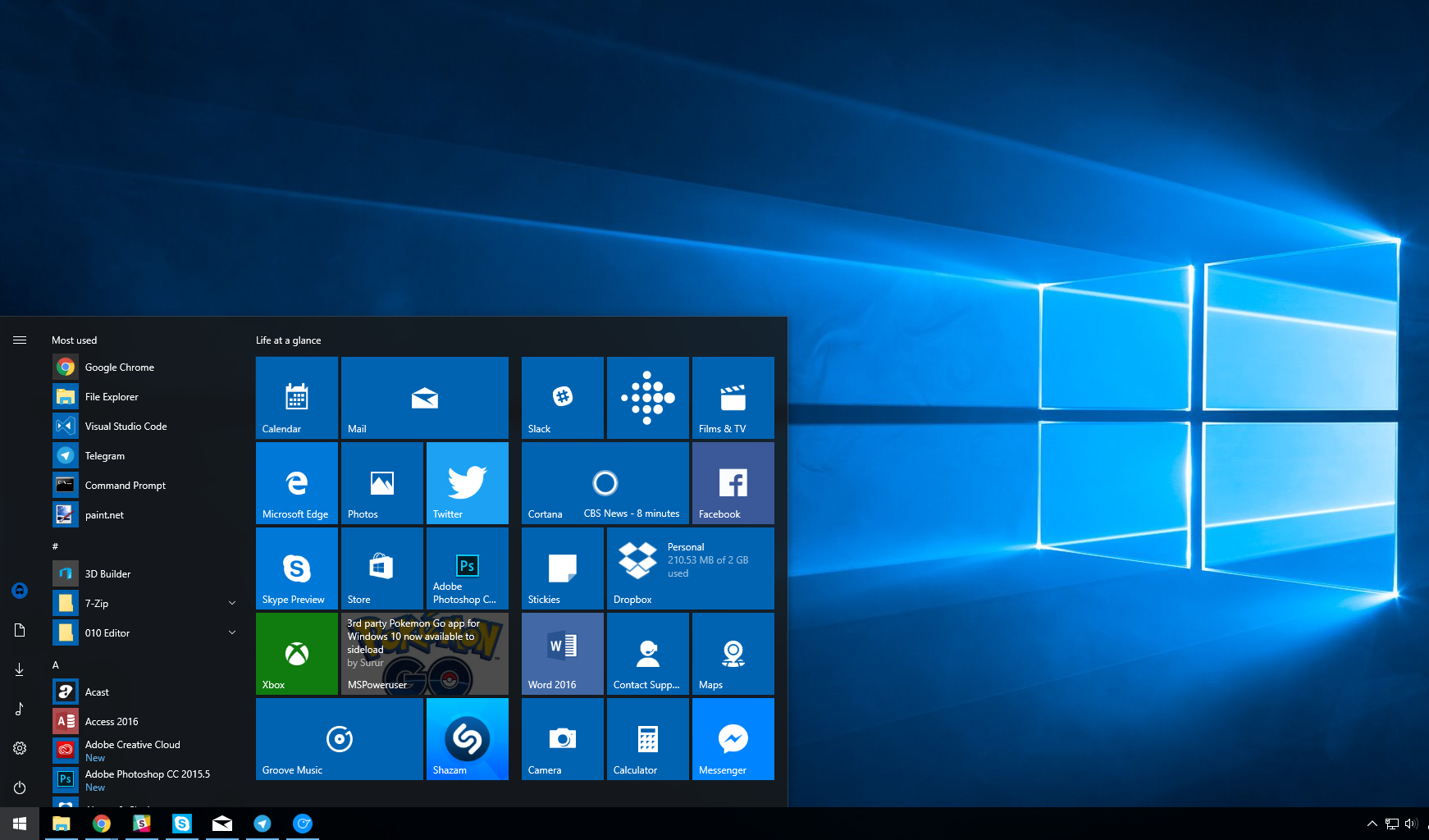
Microsoft provides an Advanced Startup options menu in Windows 10, which serves as a central location for all of Windows start up features.
Advanced Startup offers the ability for users to Reset their PC, use System Restore, or boot up into Safe Mode among others. It’s a useful tool, especially if you suspect something’s wrong with your PC and you want to fix it in safe mode.
There are a few ways to reach Advanced Startup, for this post, we’ll be going over two of the most convenient ways.
How to access advanced Start up options v1.
- Restart your Windows 10 PC while holding down the Shift key.
- The Advanced Start Up screen will now launch upon a restart.
Tip: If your PC doesn’t let you log in, as long as you can see the login screen and restart from there, you’ll be able to reach Advanced Startup by this method.
How to access advanced Start up options in Windows 10 v2
- Open the Windows 10 Settings app.
- Navigate to Update and Security.
- Look for the ‘Recovery’ sub-menu, and select Advanced Start-Up from the list of options.
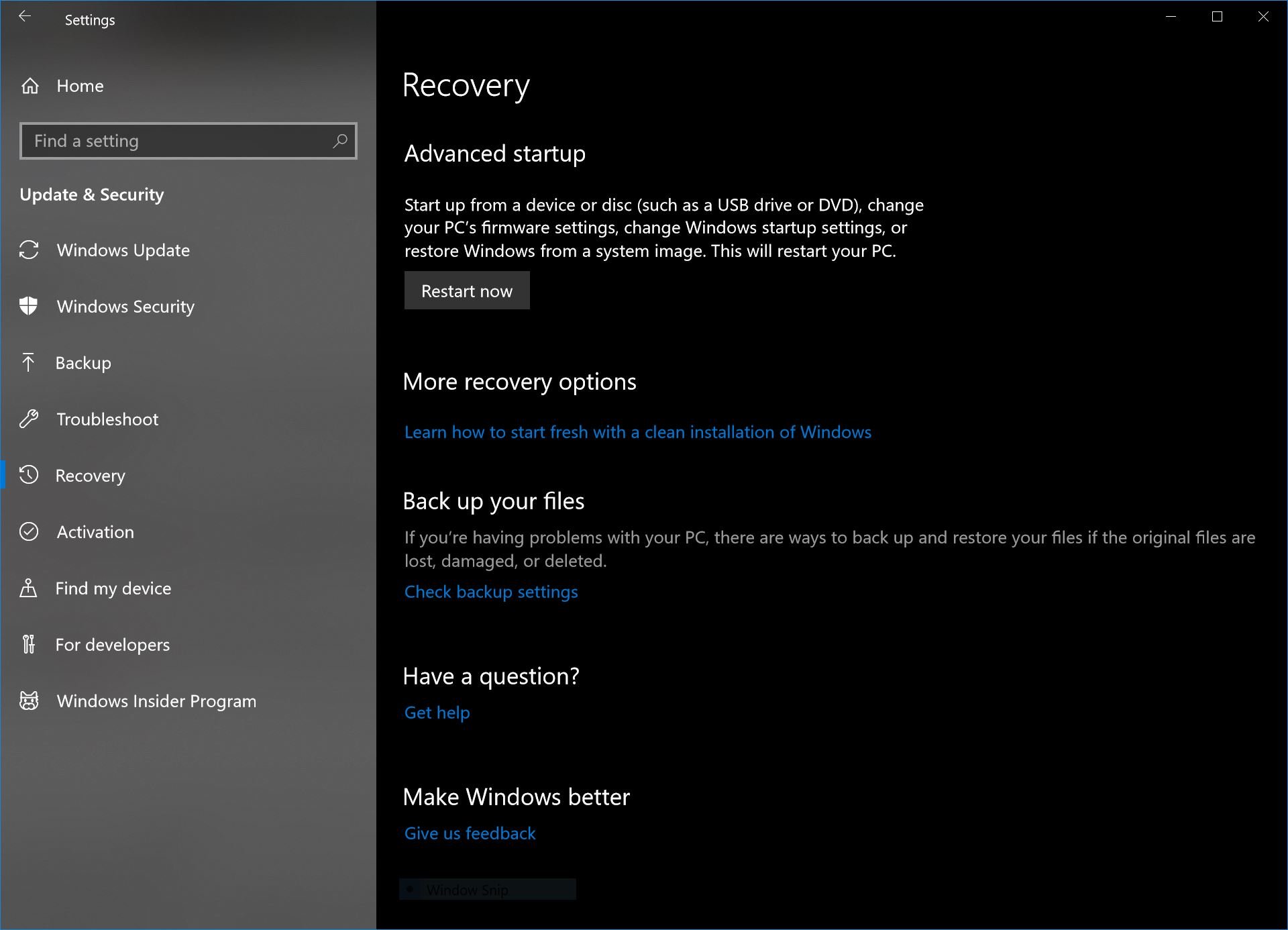
- Once there, select ‘restart now’, you will now be selected with a number of options, including the ability to customise your boot order and start a boot from USB.
برچسب:
نویسنده: محمد رضا جوادیان
صفحه بندی
آرشیو مطالب
- فروردين 1400
- مرداد 1399
- تير 1399
- فروردين 1399
- آذر 1398
- آبان 1398
- مرداد 1398
- خرداد 1398
- ارديبهشت 1398
- اسفند 1398
- بهمن 1398
- دی 1398
- آذر 1397
- شهريور 1397
- مرداد 1397
- تير 1397
- خرداد 1397
- ارديبهشت 1397
- فروردين 1397
- دی 1397
- آذر 1396
- آبان 1396
- مهر 1396
- شهريور 1396
- مرداد 1396
- تير 1396
- خرداد 1396
- ارديبهشت 1396
- فروردين 1396
- اسفند 1396
- بهمن 1396
- دی 1396
- آبان 1395
- مهر 1395
- شهريور 1395
- مرداد 1395
- تير 1395
- خرداد 1395
- ارديبهشت 1395
- فروردين 1395
- اسفند 1395
- بهمن 1395
- دی 1395
- اسفند 1394
- بهمن 1394