

Microsoft hopes that eventually all applications will be delivered via the Windows Store, which would allow increased security, manageability and reliability.
HP has just taken that goal a step closer by upgrading their HP All-in-One Printer Remote app to a Universal Windows App for Windows 10.
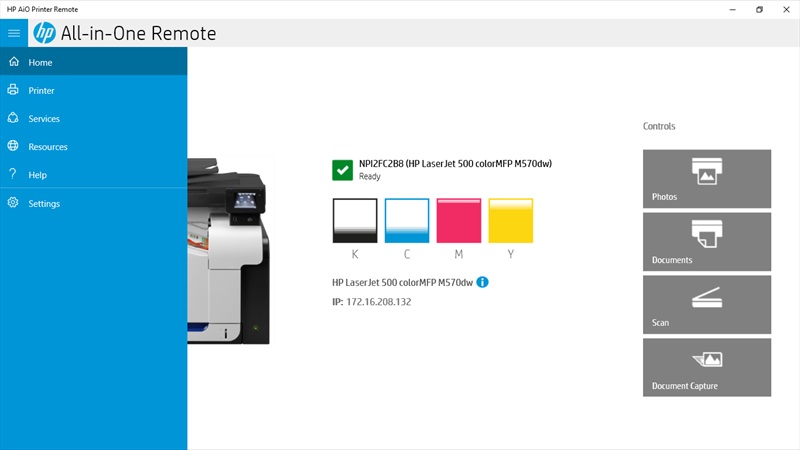
The app lets users print documents and photos, check the status of your printer, and perform maintenance tasks from their PC and now also phone. You can also order original HP printing supplies and get help from HP support.
It features:
- Check supply levels and view error messages.
- Coect to other HP printers on your network.
- Start scan and print jobs.
- Order original HP printing supplies, register your printer, and get HP support.
- Perform maintenance tasks and change printer settings.
- Create high-quality documents from the camera-enabled HP PageLift feature.
- Launch HP Coected and access services like HP ePrint and HP Instant Ink.
- Set Scan to Network Folder and Scan to Email options.
- Run Fax Setup Wizard to configure fax settings.
See screen shots of the app below:
Gallery : HP All-in-One Printer Remote screen shots
Find the app in the Windows Store here.
Developer: HP Inc.
Price: Free
via the WC